
Product
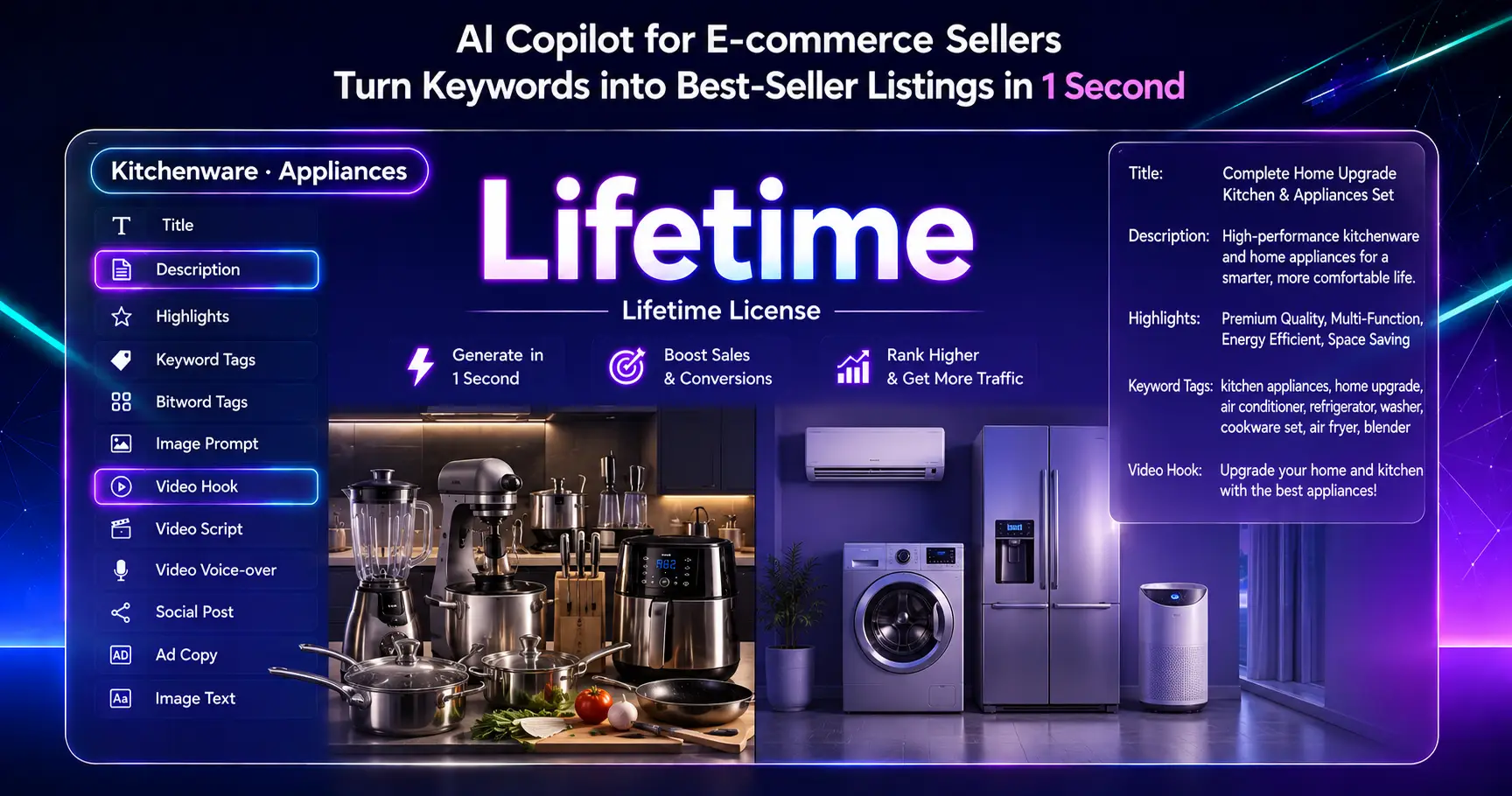
Kitchenware · Appliances AI Content Generator (Lifetime License)
Product Title, Video Hook, Product Description, Product Highlights, Keywords & Tags, AI Image Prompt, Video Script, AI Video Prompt, Voice-over Script, Social Post, Ad Copy and Image Text for Kitchenware · Appliances products with one AI tool.
Product Purchase Instructions
Download: Copy the link below and open it in your browser
https://dl.yutofly.com/KitchenPrompt-Studio-V109-VA-zEY.html
and press Ctrl+D to bookmark this page.
Enter your email on the previous purchase page. After completing the payment, a key will pop up in a few seconds. Just copy it and you're done. You can also check it in your email.
Activate: Reopen the software link saved in Step 1 → Click "Settings" on the top bar → Paste the full license key → Hit the Activate button.
Video introduction:
https://dl.yutofly.com/video-guide.html
⚠️ Note: The license key is case‑sensitive; copy the entire string without missing any characters.After making the payment, please wait for a moment for the page to redirect; the activation code will be displayed and you can simply copy it (you don't need to enter your email). If you have made the payment but the key is not shown, click "Refresh" to proceed. If it still shows "Not successful" after multiple refreshes, you can contact the customer service using the order number.
Kitchenware · Appliances – AI-Powered Listing & Prompt Generator for Kitchen & Home Appliance Sellers
Kitchenware · Appliances is a professional copywriting and AI prompt generation tool exclusively built for cross-border merchants selling kitchenware, small home appliances and large household electrics. Packaged as a lightweight single HTML file, it enables one-stop creation of high-converting product listings, social media marketing materials, and AI art/video prompts.
If you want to generate refined professional copy via various third-party AI platforms, first select your target AI platform at the bottom left corner, then click the Professional Prompt button on the top right. The system will load matched templates for the chosen platform. Simply copy the generated prompt and paste it into your AI tool (Ctrl + V), and set your target output language in the third option on the left panel to get finished copy in your selected language.
What It Does
One-click generation – Product Titles, Product Descriptions, Core Selling Highlights, Keywords & Tags, AI Image Prompts, Video Scripts, Video Hooks, Social Media Posts, Ad Copy and more marketing assets
Multi-platform ready – Amazon, TikTok Shop, Xiaohongshu, Shopee, Shopify, YouTube, Instagram, Facebook, eBay, AliExpress, Walmart, Etsy and other mainstream cross-border marketplaces
Multi-language output – English, Chinese, Spanish, French, German, Japanese, Korean, Portuguese, Italian, Dutch, Arabic, Indonesian, Bengali, Russian, Thai, Vietnamese
Interface language independent – The software’s UI language can be set separately from your output language. All generated drafts are presented purely in your target language with no mixed UI translation text, delivering neat, publish-ready copy.
Offline-friendly – Single standalone HTML file. Download and launch directly in any browser, no desktop installation required.
Who It's For
Cross-border sellers operating kitchenware and home appliance stores across multiple sales channels
E-commerce operation teams handling mass product listing uploads
Social media content marketers needing fast multilingual marketing copy
Freelancers and small teams specializing in kitchen & home appliance product listings who require a dedicated copywriting tool
What's Included
Permanent software download link (available on this page – press Ctrl + D to bookmark for future access)
Exclusive unique license key (format: KA810-xxxx, one license key valid for one single order and non-transferable)
How to Use
Launch the software in a modern web browser (Chrome / Edge recommended)
Switch the software UI language at the top-right corner if needed
Navigate to Settings and paste your full purchased license key to complete activation
Select your target sales Platform, Output Language and target Market region in sequence
Tick all content asset types you wish to generate (e.g., Title, Description, Selling Highlights)
Click Generate – your finished copy will instantly display in the output panel
If you want to generate refined professional copy via various third-party AI platforms, first select your target AI platform at the bottom left corner, then click the Professional Prompt button on the top right. The system will load matched templates for the chosen platform. Simply copy the generated prompt and paste it into your AI tool (Ctrl + V), and set your target output language in the third option on the left panel to get finished copy in your selected language.
💡 Tip: All generated copy strictly follows your selected Output Language rather than the software’s UI language. This eliminates messy mixed-language drafts, so your copy can be directly published on marketplaces.