
Product
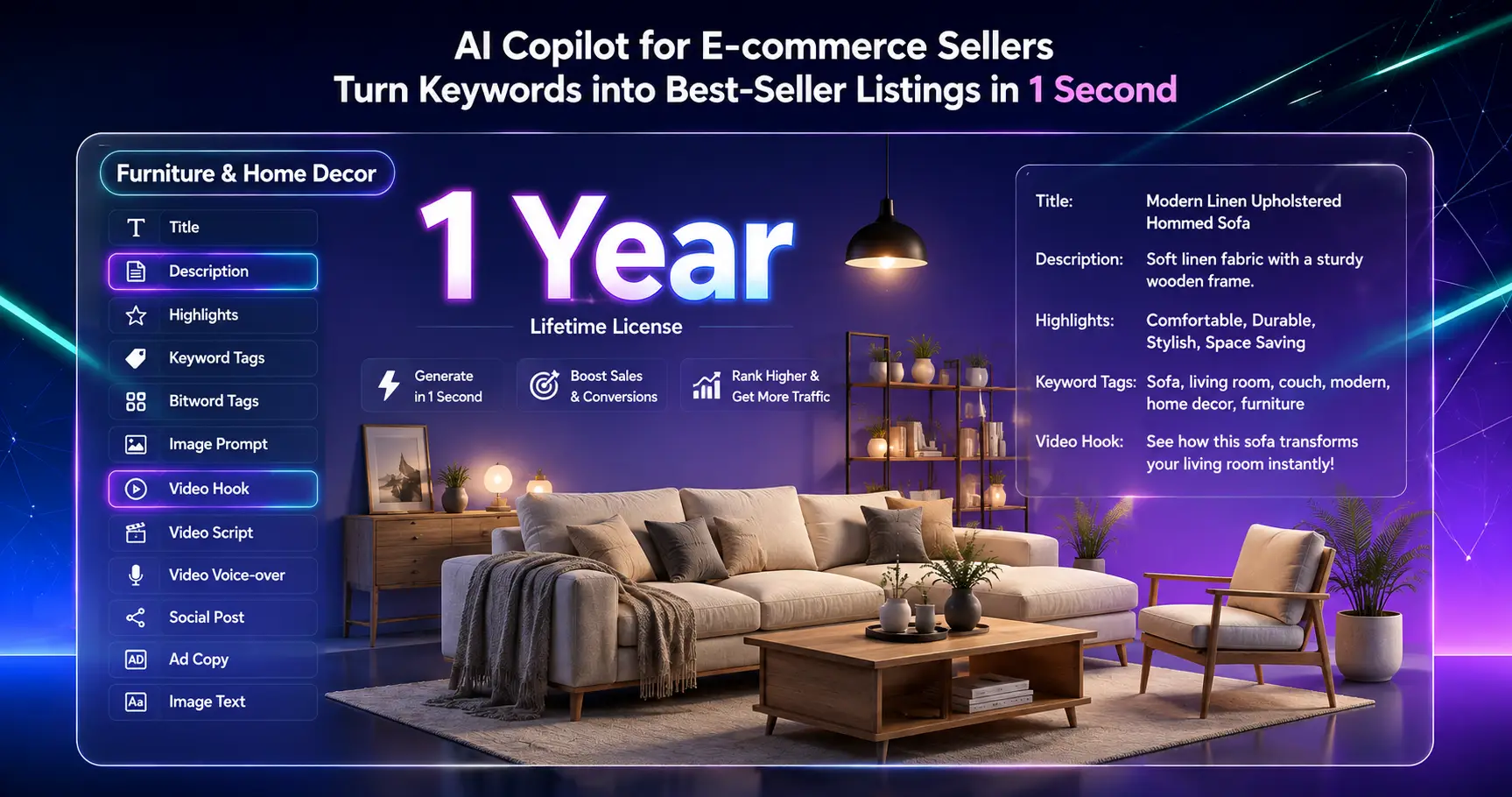
Home & Furniture AI Content Generator (1-Year License)
Product Title, Video Hook, Product Description, Product Highlights, Keywords & Tags, AI Image Prompt, Video Script, AI Video Prompt, Voice-over Script, Social Post, Ad Copy and Image Text for Home Prompt products with one AI tool.
Product Purchase Instructions
1. Download: Copy the link below and open it in your browser
https://dl.yutofly.com/HomePrompt-Studio-V121-VA-zEY.html
and press Ctrl+D to bookmark.
2.Enter your email on the previous purchase page. After completing the payment, a key will pop up in a few seconds. Just copy it and you're done. You can also check it in your email.
3. Activate: The link opened in the first step → top "Settings" → paste full key → click "Activate".
Video introduction:
https://dl.yutofly.com/video-guide.html
⚠️ Note: Key is case‑sensitive, copy exactly.After making the payment, please wait for a moment for the page to redirect; the activation code will be displayed and you can simply copy it (you don't need to enter your email). If you have made the payment but the key is not shown, click "Refresh" to proceed. If it still shows "Not successful" after multiple refreshes, you can contact the customer service using the order number.
BeautyPrompt Studio – Home Edition
AI‑Powered Copywriting & Prompt Generator for Home & Furniture Sellers
BeautyPrompt Studio‑Home prompt is a professional copywriting and prompt generation tool built specifically for cross‑border sellers of home furniture, décor, and furnishings. It helps you create high‑converting product listings, social media content, and AI prompts—all in one lightweight HTML file.
To generate professional content via various AI platforms, first select your target platform in the bottom‑left corner, then click the “Professional Prompt” button at the top right. The system will display the corresponding platform interface. Simply copy the generated prompt and paste it (Ctrl + V) into the AI tool to produce content in your chosen output language (the third step on the left, i.e., language selection).
---
What It Does
- One‑click generation – Product titles, descriptions, key selling points, keywords & tags, image prompts, video scripts, social posts, ad copy, and more.
- Multi‑platform ready – Amazon, TikTok Shop, Xiaohongshu, Shopee, Shopify, YouTube, Instagram, Facebook, eBay, AliExpress, Walmart, Etsy, and many more.
- Multi‑language output – English, Chinese, Spanish, French, German, Japanese, Korean, Portuguese, Italian, Dutch, Arabic, Indonesian, Bengali, Russian, Thai, Vietnamese.
- Interface language independent – The software interface language can be set separately from the output language. This ensures that generated drafts appear cleanly in your target language, without mixing UI translations into the content.
- Offline‑friendly – Single‑file HTML. Download and open in your browser. No installation required.
---
Who It’s For
- Cross‑border home goods sellers managing multiple marketplaces.
- E‑commerce operations teams creating listings at scale.
- Social media and content marketers who need multilingual copy fast.
- Freelancers and small teams who want a dedicated tool for home‑category copy.
---
What’s Included
- Software download link (visible on this page – remember to press Ctrl + D to save it).
- Unique license key (format: HP820-xxxx – one key per order).
---
How to Use
1. Open the software in a modern browser (Chrome / Edge recommended).
2. Switch the interface language if needed (top‑right corner).
3. Go to Settings and paste your license key to activate.
4. Choose your target Platform, Output Language, and Market.
5. Select the content types you want to generate (e.g., Title, Description, Highlights).
6. Click Generate – your draft will appear in the output panel instantly.
7. To generate professional content through various AI platforms, first select the platform in the bottom‑left corner, then click the Professional Prompt button at the top right. The system will show the corresponding platform, and you can simply copy and paste (Ctrl + V) to produce content in your chosen output language (the third step on the left, which is the language selection).